


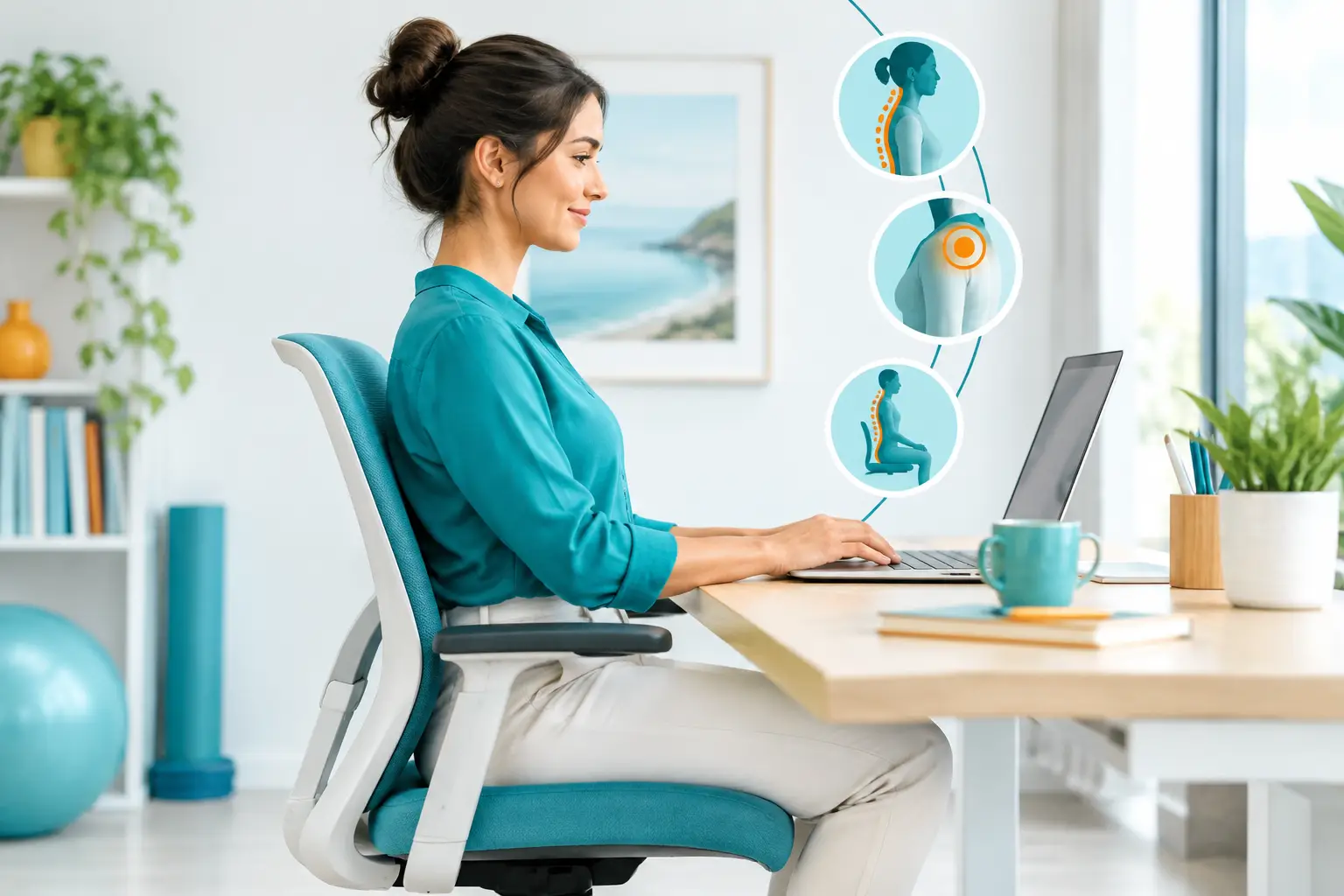
A desk that feels fine at 9 am can leave you rubbing your neck, shifting in your chair and struggling to focus by mid-afternoon. For many people, the problem is not one ‘bad’ sitting position. It is spending hours in any one position, often while the screen, chair and workload quietly encourage the body to round forward.
Learning how to improve desk posture is less about sitting rigidly upright all day and more about creating a work setup that supports comfortable movement. Small, realistic changes can reduce unnecessary strain on your neck, shoulders, back, wrists and hips - particularly when they are paired with regular movement and attention to the stress your body may be carrying.
Start with a posture that feels supported, not stiff
Good desk posture is often pictured as shoulders pulled right back, chest lifted and spine perfectly straight. Holding that pose for a whole workday can be tiring in its own way. A more useful goal is a relaxed, supported position that lets your joints sit comfortably and allows you to change position easily.
Begin with your feet. Ideally, they should be supported on the floor or a stable footrest, rather than dangling from the chair. Let your knees sit roughly level with, or slightly lower than, your hips. Sit back so your pelvis is supported by the chair, using the backrest rather than perching on the edge.
Allow your lower back to keep its natural gentle curve. If your chair does not provide enough support, a small cushion or rolled towel placed at the lower back can help. Your shoulders should feel relaxed, not lifted towards your ears, and your head should sit comfortably over your torso rather than reaching towards the screen.
There is no single perfect posture that suits every body. Height, injury history, pregnancy, mobility and the type of work you do all matter. The best posture is usually the next comfortable posture, so build movement into your day rather than trying to hold one position perfectly.
How to improve desk posture by adjusting your workstation
Your body often adapts to the equipment in front of it. If the screen is too low, you are likely to look down. If the keyboard is too far away, your shoulders may creep forward. Adjusting the workstation is one of the most effective ways to make a comfortable position easier to maintain.
Put your screen at a comfortable height
The top third of your monitor should generally sit around eye level, so you can look at the screen without continually bending your neck. If you use a laptop, this usually means raising it on a stable stand or stack of books and using a separate keyboard and mouse.
Position the screen about an arm’s length away, then adjust for your eyesight and screen size. If you find yourself leaning forwards to read, resist the urge to crane your neck. Increase the font size, check your glasses prescription if relevant, or move the monitor slightly closer.
Bring your keyboard and mouse closer
Keep your keyboard close enough that your elbows can rest near your sides. Your forearms should be roughly parallel to the floor, with wrists in a neutral, easy position rather than bent upwards, downwards or sideways.
Place the mouse beside the keyboard, not out at arm’s reach. Repetitive reaching can add strain through the wrist, elbow, shoulder and upper back. If you regularly use a second screen, place the screen you use most directly in front of you. If both screens are used equally, position them close together with the join centred in front of you.
Adjust the chair before blaming your back
Raise or lower the chair so your feet are supported and your elbows meet the desk at a comfortable height. Armrests can be useful if they allow your shoulders to relax, but they should not stop you from getting close enough to the desk. If they force you to sit too far away, lower them or move them out of the way.
A sit-stand desk can be helpful, but standing still all day is not a cure for sitting discomfort. Alternate between sitting and standing, and change your position before you feel stiff. Supportive shoes and a comfortable standing surface also make a difference.
Move before discomfort becomes your reminder
The body is designed for variety. Even an excellent workstation cannot remove the effects of long, uninterrupted hours at a desk. Short movement breaks help circulation, reduce muscle tension and give the eyes and mind a reset.
Aim to change position every 30 to 60 minutes. This does not need to mean a full workout. Stand to take a phone call, refill your water bottle, walk to speak with a colleague or take a lap around the house between tasks. If you work from home, use a natural pause such as sending an email or finishing a meeting as a cue to move.
A brief desk reset can also help. Gently roll your shoulders, turn your head side to side without forcing it, stand tall and reach your arms overhead, or take a few slow breaths while allowing your ribs to expand. If you have been seated for a long stretch, a short walk is often more useful than aggressively stretching a sore area.
For people who train, play sport or are returning from an injury, desk stiffness can affect more than work comfort. Tight hips, a guarded upper back or reduced neck movement may change how you run, lift, swing or recover. Regular movement during the day supports better body awareness when it is time to train.
Look beyond the chair when symptoms keep returning
Poor desk posture is often blamed for headaches, neck pain, shoulder tension, tingling hands and lower back discomfort. While your work setup may contribute, recurring symptoms can also reflect reduced mobility, muscle overload, a previous injury, stress, sleep disruption or the way your nervous system is responding to ongoing pressure.
Stress deserves consideration here. During a busy day, many people unconsciously clench their jaw, raise their shoulders, hold their breath or work without breaks. A carefully adjusted chair will not fully address that pattern on its own. Slowing your breathing, taking a genuine pause and noticing tension early can be part of improving posture and overall wellbeing.
If discomfort is persistent, worsening, affecting sleep, or accompanied by numbness, weakness, dizziness or pain travelling down an arm or leg, seek professional assessment. It is especially important to get advice after an injury or if a symptom is interfering with work, sport or daily life.
A practitioner can assess how you move, identify areas of restriction or overload, and consider whether your workstation habits are only one piece of the picture. Hands-on care, remedial massage, myotherapy, acupuncture and chiropractic care may be considered as part of a personalised approach, alongside practical rehabilitation and movement strategies. At Neurohealth Wellness, care is tailored to the person, their daily demands and their longer-term goals - not just the sore spot at the end of a workday.
Make changes you can keep doing
Avoid changing everything at once. Start with one or two adjustments that address your biggest issue, such as raising a low laptop screen or setting a reminder to stand each hour. Give your body a few days to adapt, then notice what has changed: are your shoulders less tense, are headaches less frequent, or do you finish work with more energy?
It can help to take a quick photo of your normal desk setup from the side. You may notice that your screen is off-centre, your chair is too low or your mobile is repeatedly pulling your head down. The aim is not to criticise your posture. It is to make the healthier option the convenient option.
Your desk should support your work, not demand that your body compensates for it. A few thoughtful adjustments, regular movement and early support when pain lingers can make the working day feel far more manageable.


